
Tables & reservations
Know every table at a glance
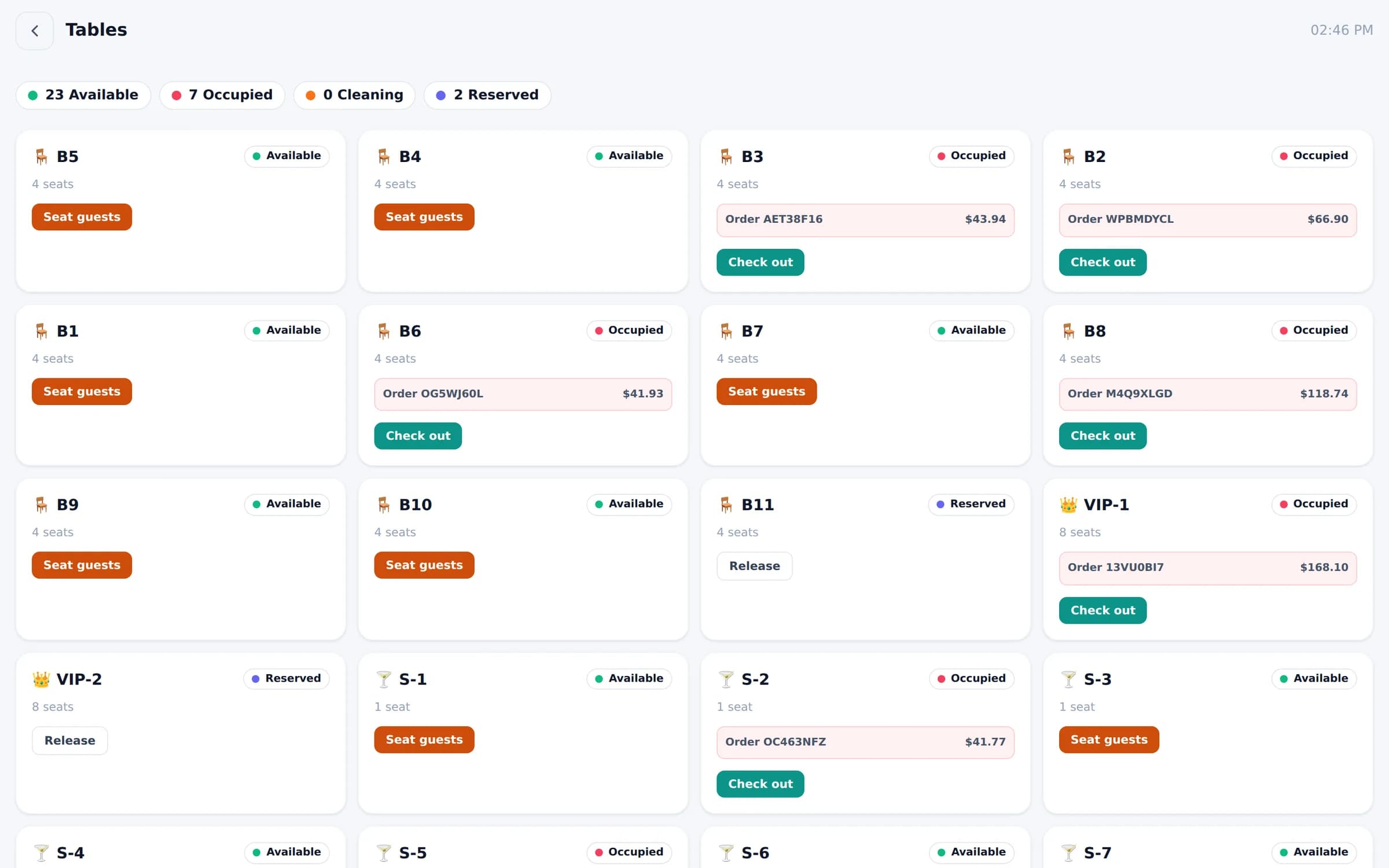
See which tables are available, occupied, being cleaned or reserved — and seat guests, open orders or check out from the same screen.
What you get
Tables & reservations, feature by feature
Live status
Available, occupied, cleaning and reserved — counted at the top of the screen.
Seat, order, check out
Open a table's order or close it without leaving the screen.
Floor map or cards
Choose a floor-plan view or a simple card grid for each branch.
VIP, dining & bar seats
Group tables the way your room is actually set up.
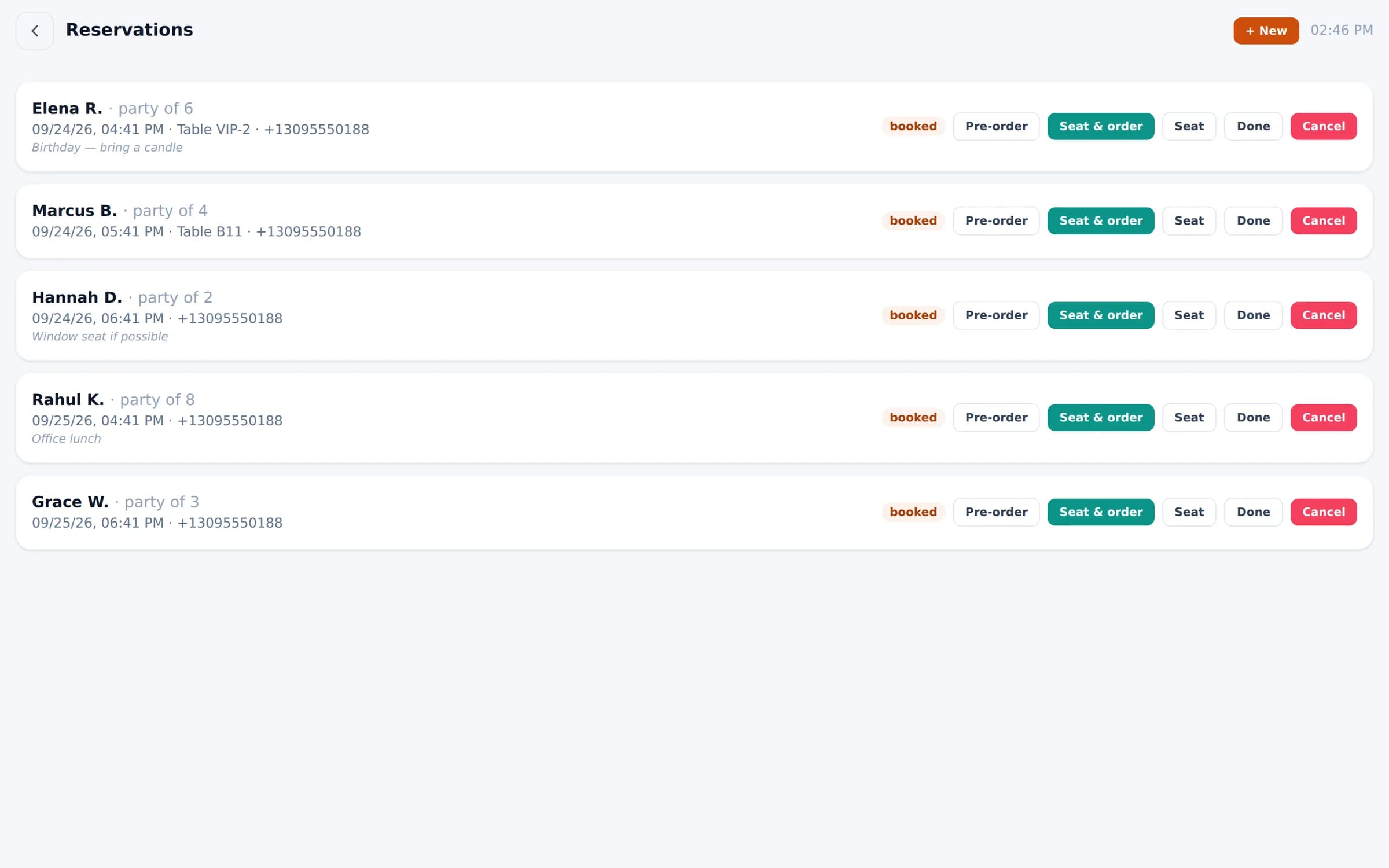
Reservations
Party size, time, table and notes — then seat the party with one tap.
Pre-order for bookings
Take a reservation's order in advance so the kitchen is ready.
In the product
Reservations with party size, table, notes and pre-order.
See Bloom configured for your business
A 30-minute walkthrough with your menu, your floor and your workflow. No obligation.
We reply within one business day.
- 01Pick a time that suits you
- 02Tell us how you run service
- 03See Bloom set up your way