
The platform
One platform. Configured to the way you sell.
Ordering, kitchen, tables, delivery, inventory and reporting share one system and one set of data — so every screen stays in sync, at every location.
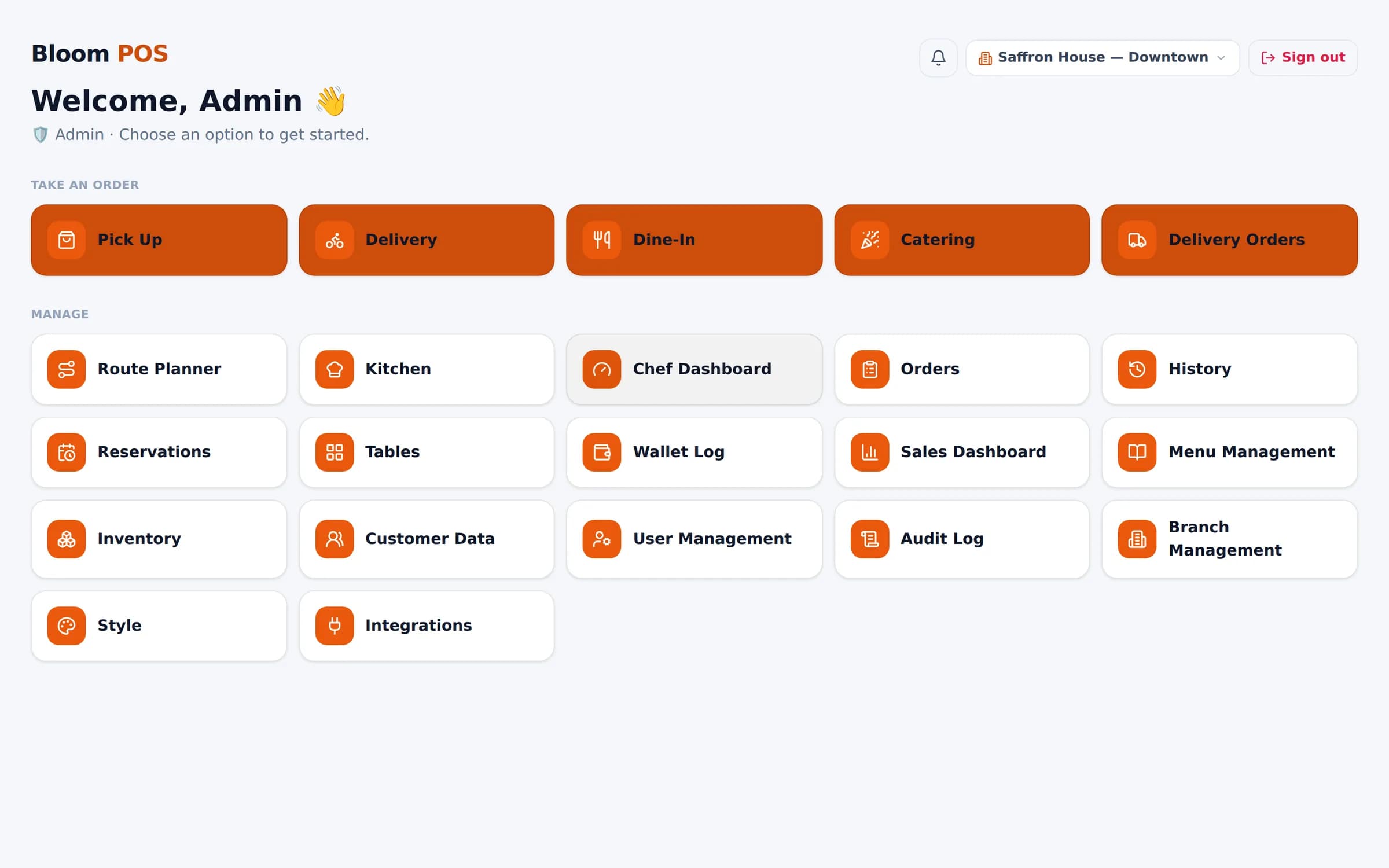
Product areas
Explore Bloom, area by area
Customization
Re-theme every screen to your brand.
ExploreOrdering & checkout
Pickup, delivery, dine-in, catering and pre-orders.
ExploreKitchen & chefs
Station boards, priority & delay alerts, chef tracking.
ExploreTables & reservations
Live table status, floor map or cards, bookings.
ExploreDelivery apps
DoorDash, Uber Eats, Grubhub, your own drivers.
ExploreMenu & inventory
Bulk menu upload, channel menus, stock & suppliers.
ExploreReports & insights
Sales dashboard with every filter, exports and share links.
ExploreMulti-branch
Separate branches, one login, group-wide reports.
Explore
How it fits together
Orders in from everywhere. Out to exactly the right place.
Ordering & checkout
Every order type, one fast screen
Pickup, delivery, dine-in and catering share one order screen built for speed — search a dish, tap, done.
Learn more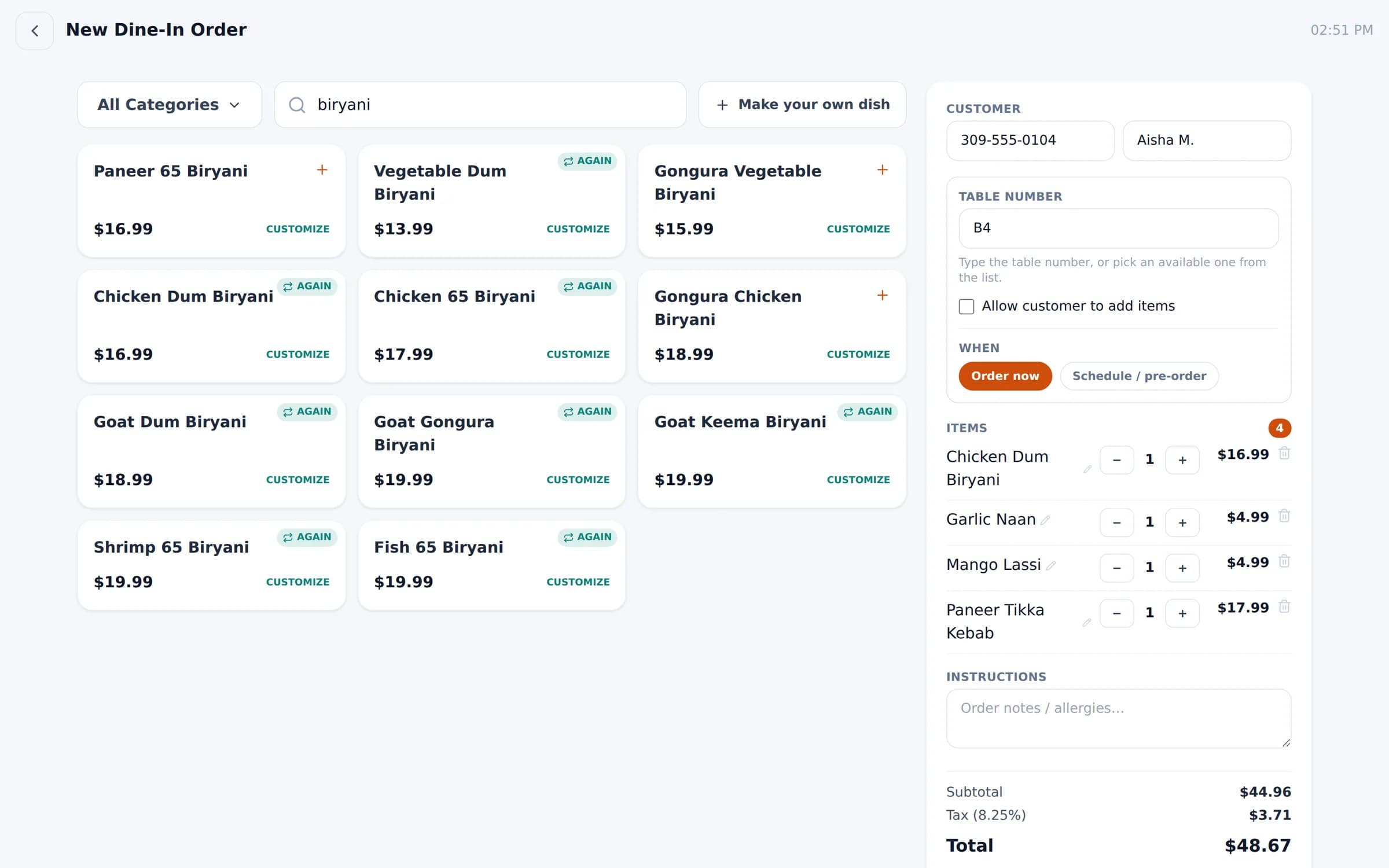
Kitchen display & chefs
A kitchen that keeps up with the rush
Tickets reach the right station the moment an order is placed. Cooks tap to move each dish from cooking to ready to done.
Learn more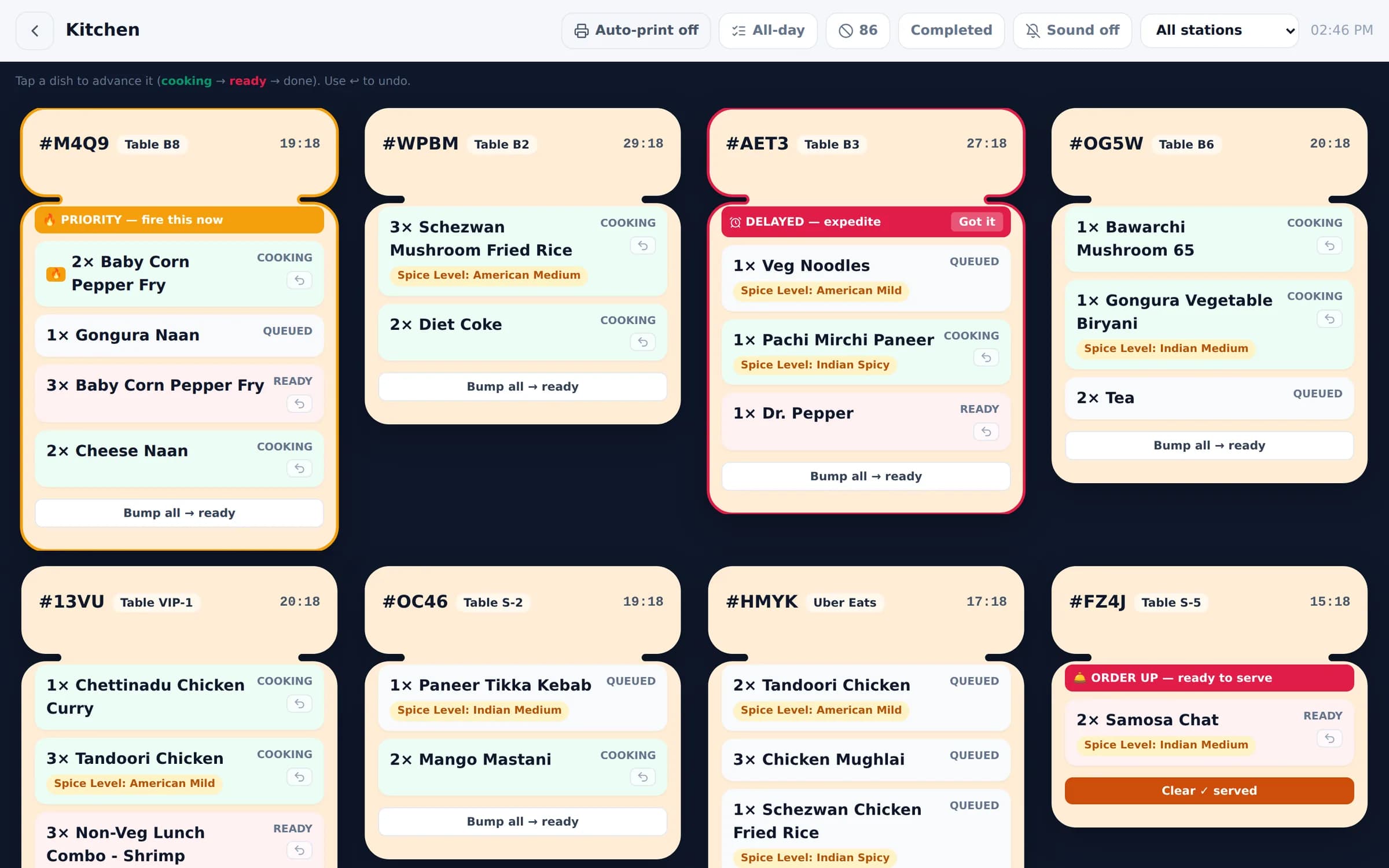
Tables & reservations
Know every table at a glance
See which tables are available, occupied, being cleaned or reserved — and seat guests, open orders or check out from the same screen.
Learn more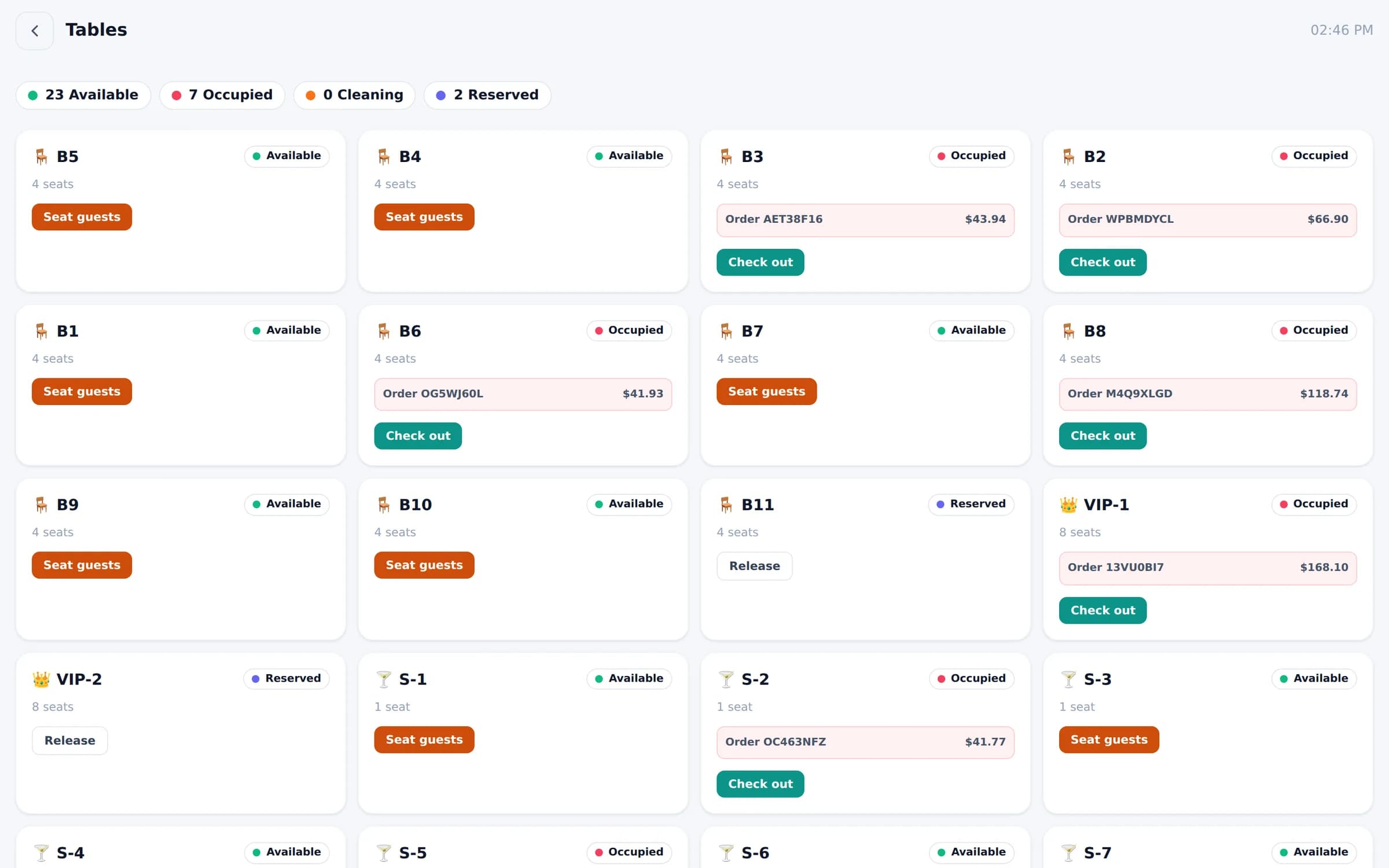
Delivery
Delivery apps, minus the tablet pile
DoorDash, Uber Eats and Grubhub orders arrive in one Bloom queue — confirm, adjust prep time, print and send them to the kitchen.
Learn more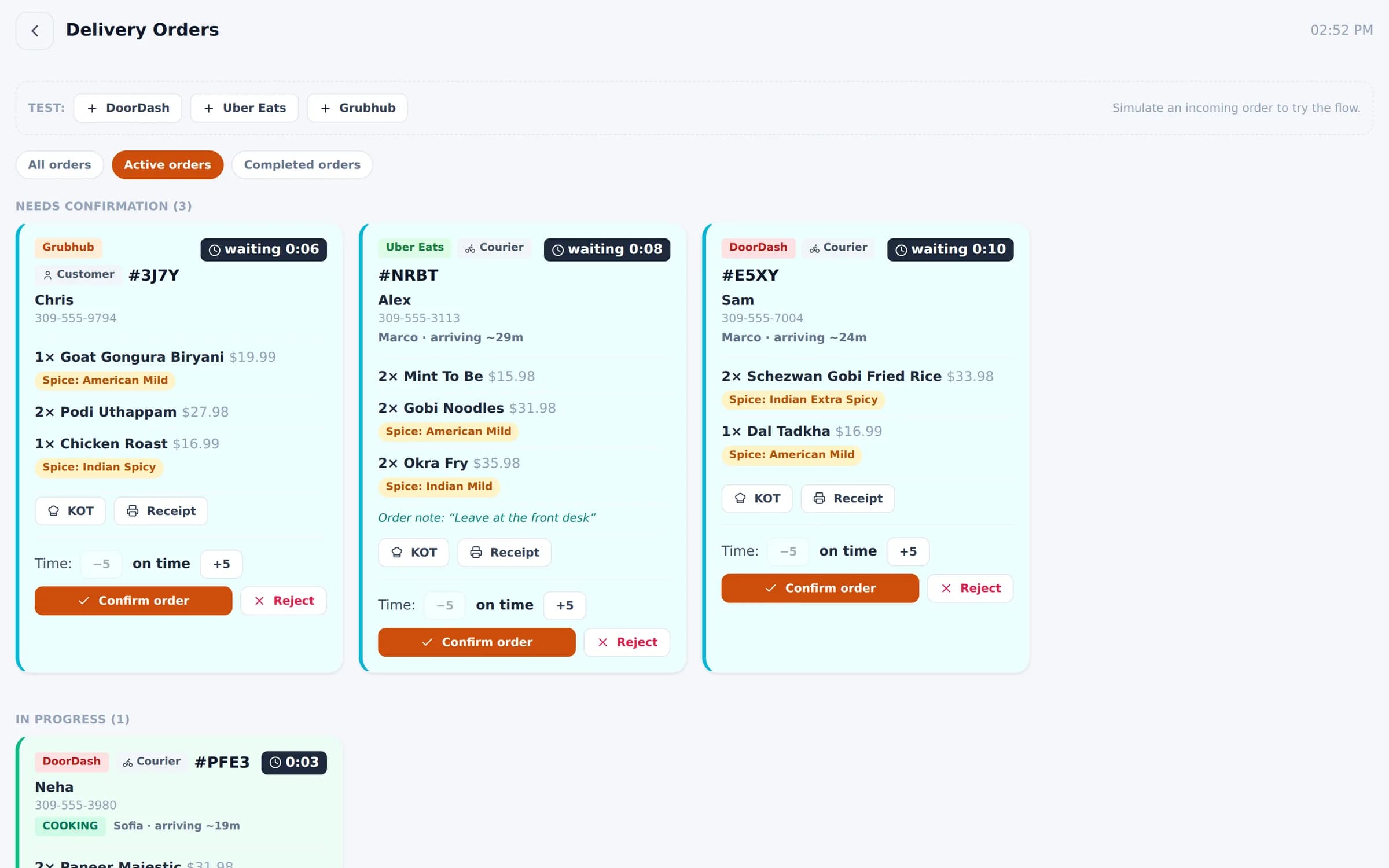
Integrations
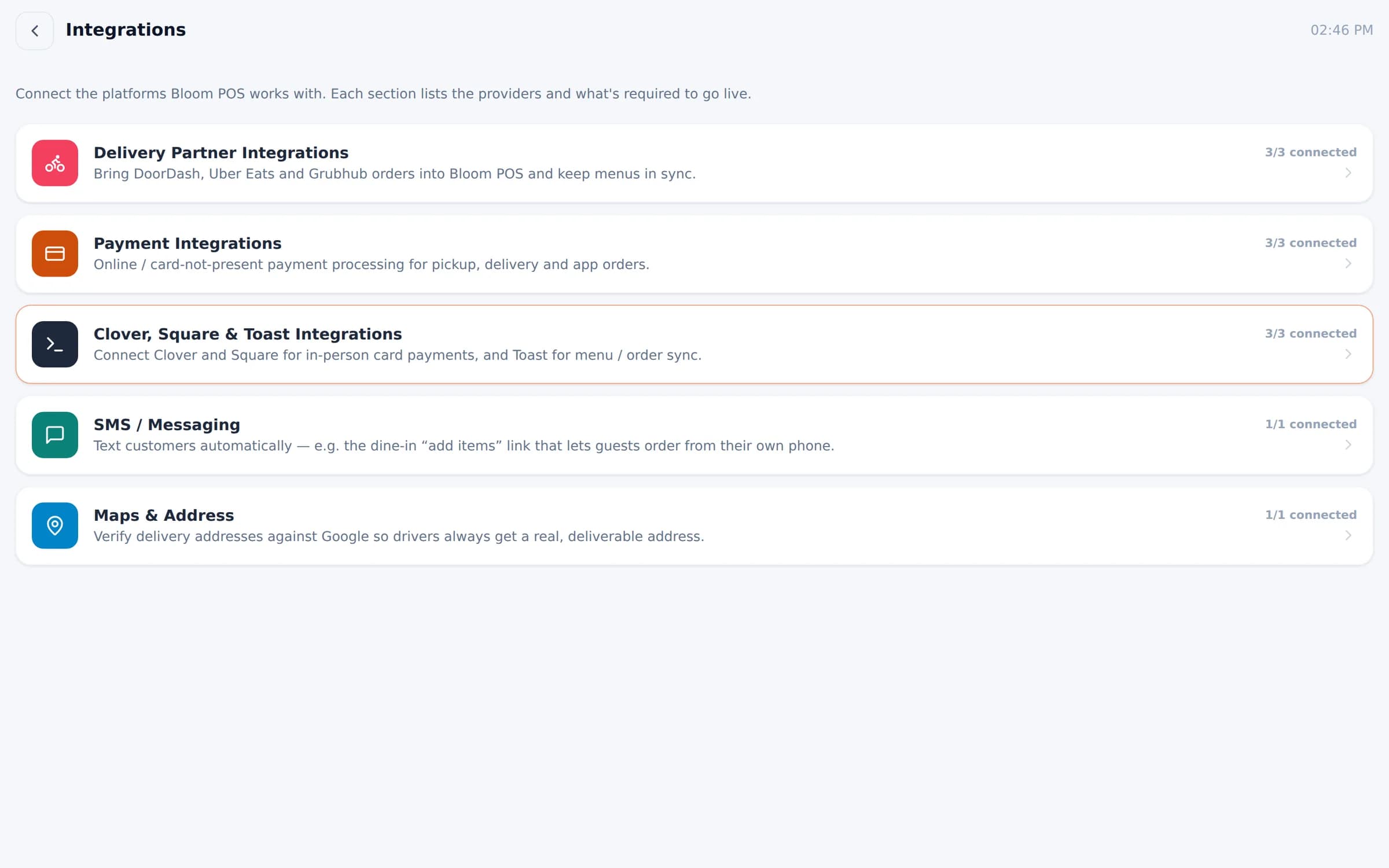
Connected to the platforms you rely on
DoorDash
Delivery
Uber Eats
Delivery
Grubhub
Delivery
Square
Payments
Clover
Payments
Toast
Menu & order sync
Google Maps
Maps & address
SMS messaging
Messaging
How much does Bloom POS cost?
Pricing depends on your number of locations, devices and the modules you need. Book a demo and we'll send a clear quote — no hidden fees.
Can I really customize everything?
Colors, type, shapes, icons and motion re-theme the whole app. You also set your own menus per channel, tables, kitchen stations, staff roles and branches.
Which businesses is Bloom built for?
Bloom is proven in restaurants and cafés, including multi-location groups. Retail and service businesses use the same customizable core — menu/catalog, staff, payments and reporting. Talk to us about your setup.
Does it work with DoorDash, Uber Eats and Grubhub?
Yes. Orders from all three land in the same queue as your own orders, and you can keep separate menus and prices for each platform.
Which payment options are supported?
Cash and card, with in-person card payments through Square and Clover, plus wallet and coupon payments. Online payments are supported for pickup, delivery and app orders.
Can I run more than one location?
Yes. Each branch is fully separate — its own menu, orders, tables, staff, payments and look — and you switch between them from one login. New branches can start with a full copy of an existing menu.
How hard is it to switch from my current POS?
Menus import from a spreadsheet template in minutes. We'll walk you through setup, staff logins and your first service during onboarding.
See Bloom configured for your business
A 30-minute walkthrough with your menu, your floor and your workflow. No obligation.
We reply within one business day.
- 01Pick a time that suits you
- 02Tell us how you run service
- 03See Bloom set up your way