Customization
Your layout. Your workflow. Your brand.
Most POS systems make you adapt to them. Bloom adapts to you — from the colors on every screen to the way orders flow through your kitchen.
Try it
Same screen, five looks
Tap a look to see the real Bloom POS order screen change.
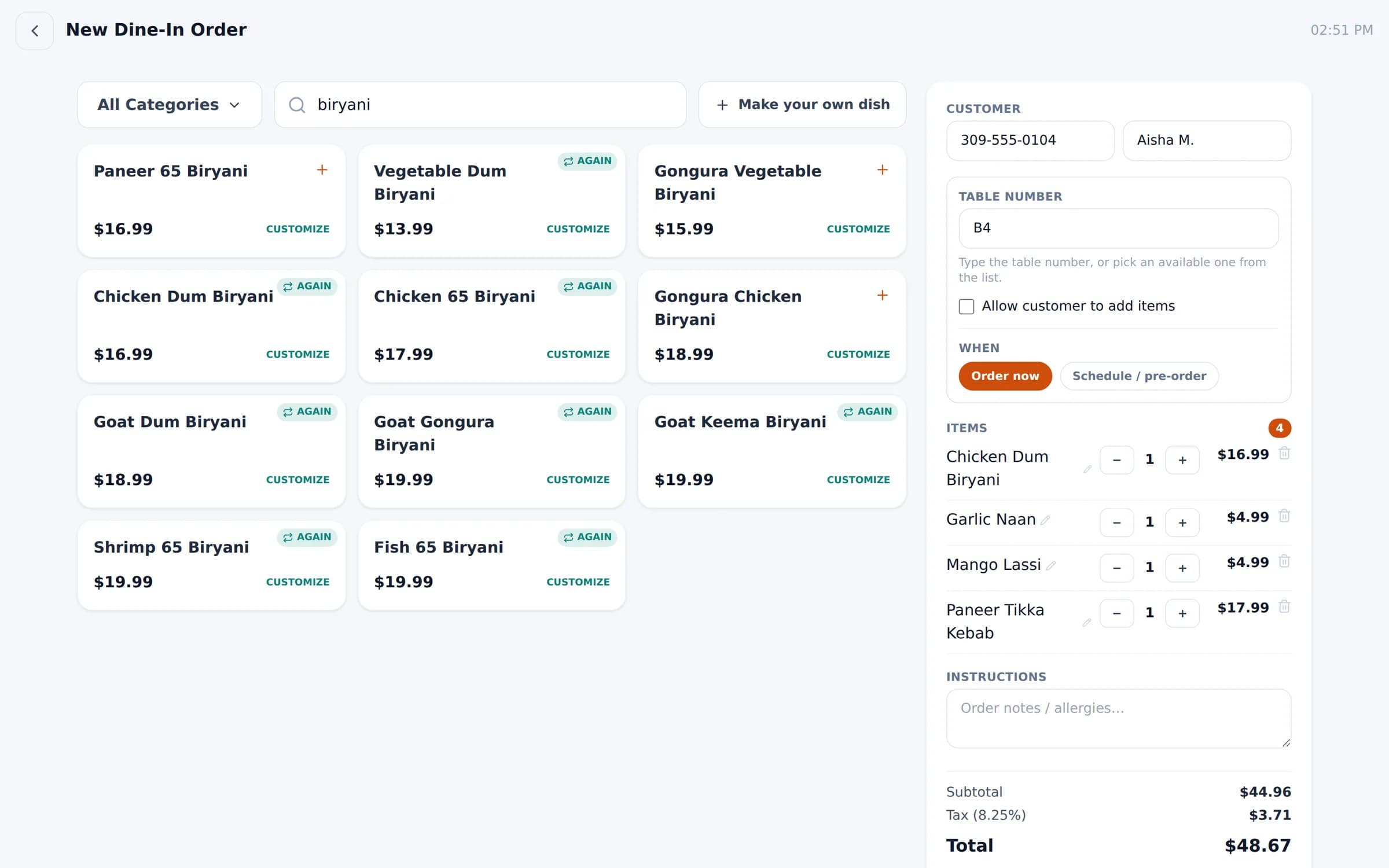
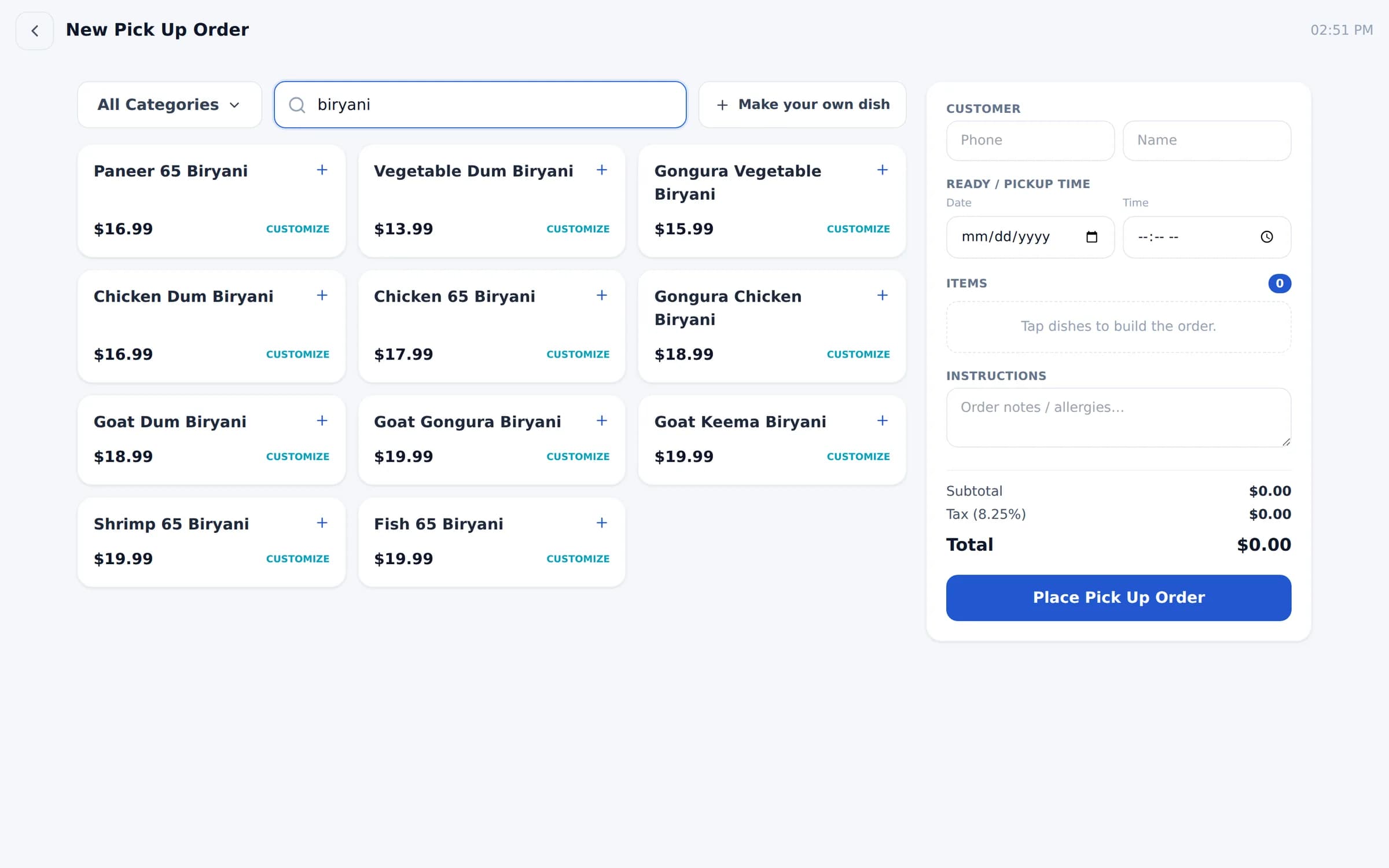
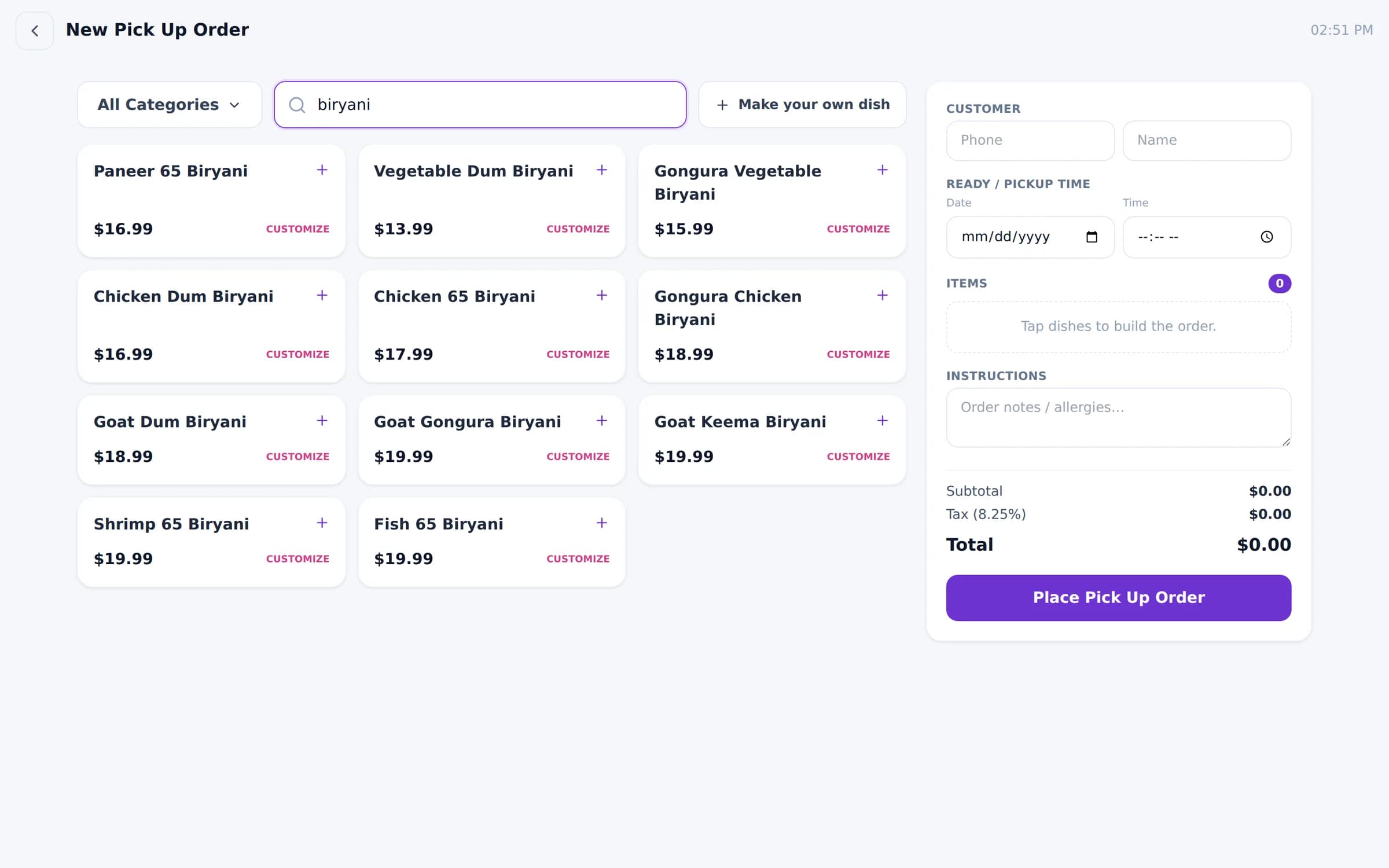
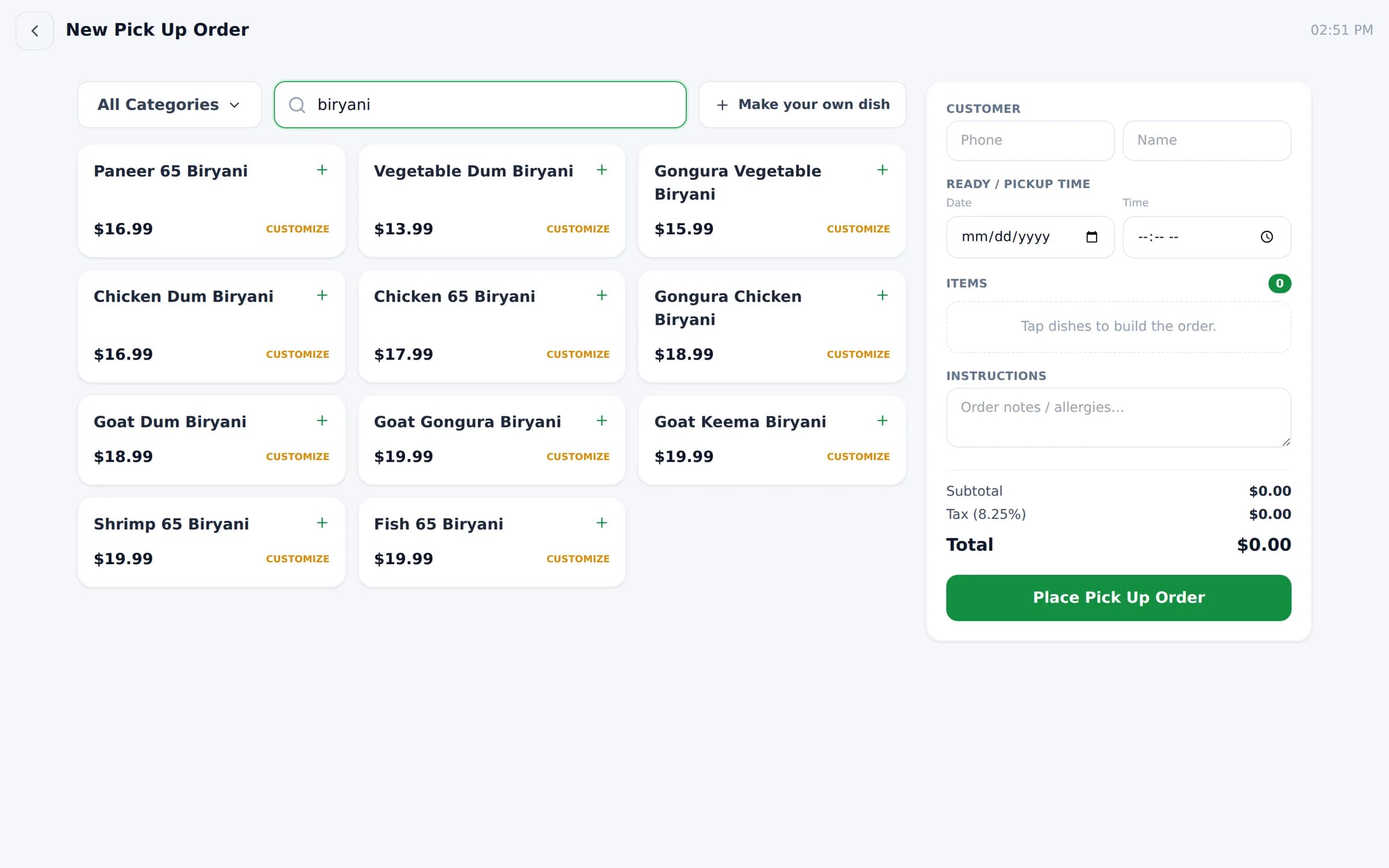
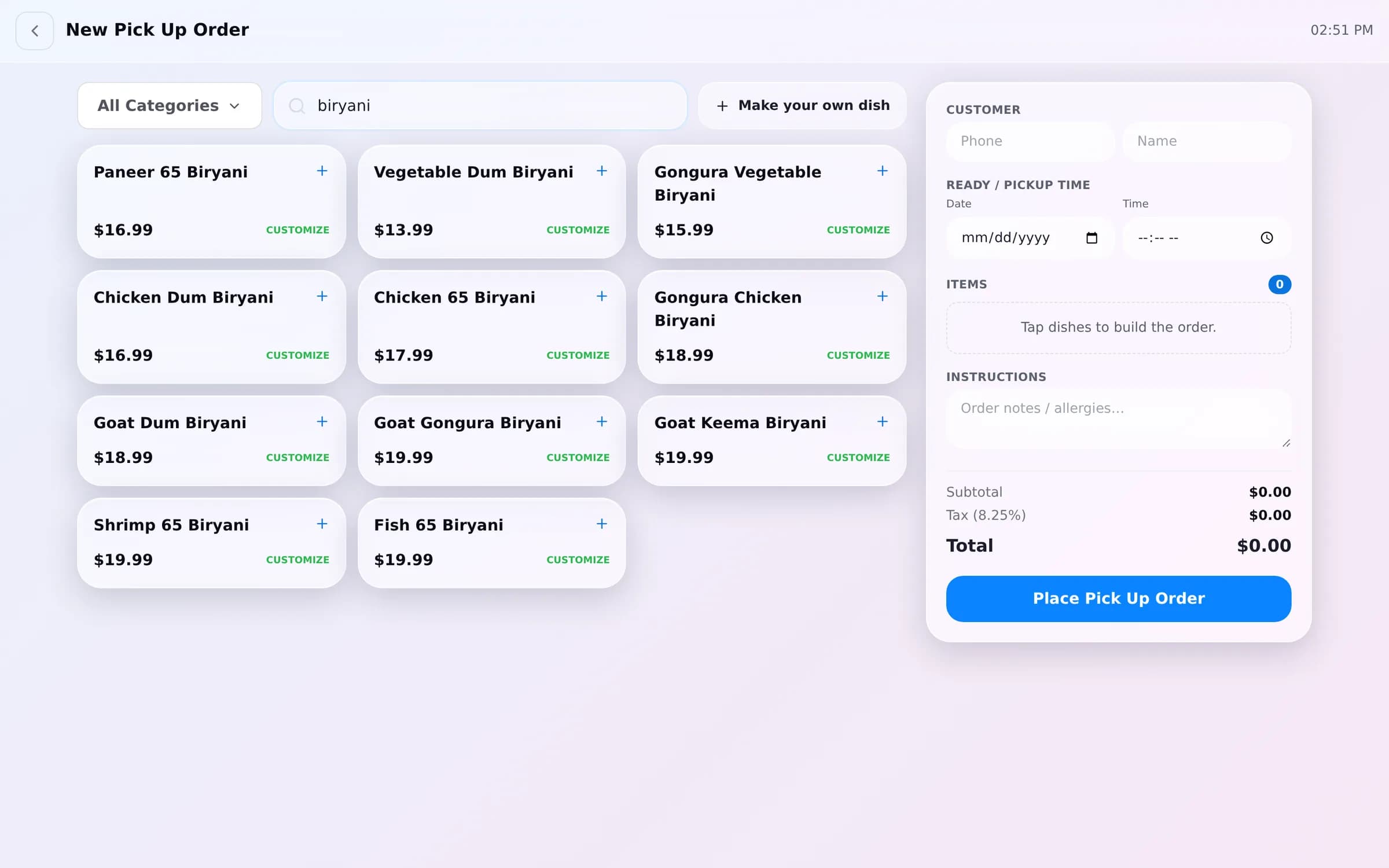
Real screens from Bloom POS, switched with one tap in the Style editor. 20+ looks included.
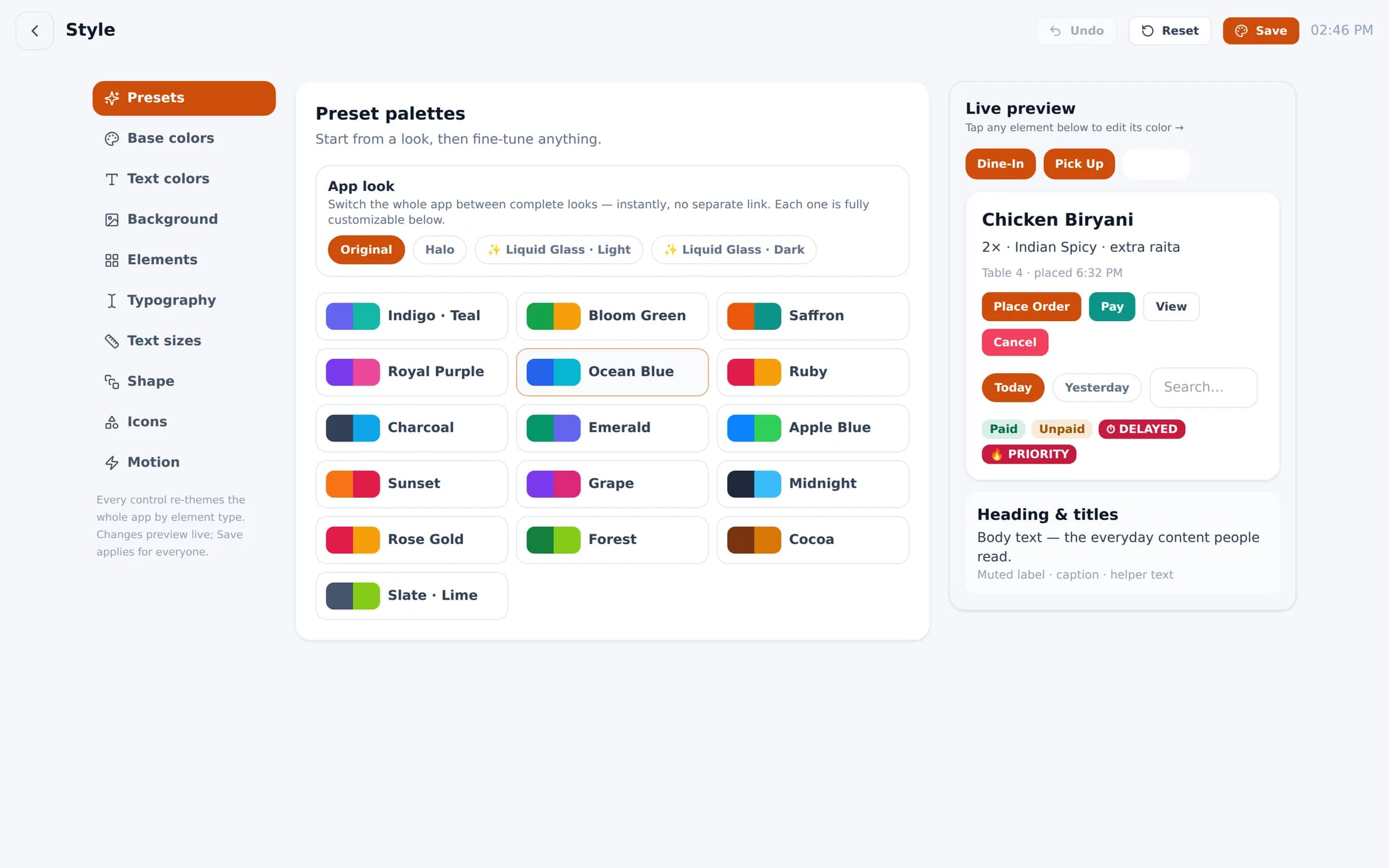
The Style editor
Start from a preset, then fine-tune base colors, text colors, background, every element type, typography, text sizes, shape, icons and motion. Changes preview live; Save applies them for everyone.
Includes light and dark Liquid Glass looks, solid or gradient backgrounds, and uploaded wallpapers.
Beyond the paint
Customize how you work, not just how it looks
- 01
Looks & presets
Start from 20+ palettes, including light and dark glass looks, then fine-tune.
- 02
Colors by element
Base, text, background and every element type re-themes the whole app.
- 03
Typography & sizes
Pick type and text sizes that staff can read at a glance.
- 04
Shape, icons & motion
Corner radius, icon style and animation, set to your brand.
- 05
Menus per channel
Different items and prices for dine-in, DoorDash, Uber Eats and Grubhub.
- 06
Roles & permissions
Decide exactly what admins, managers, kitchen and staff can see.
- 07
Branches
Each location gets its own menu, tables, staff, payments and look.
- 08
Floor & stations
Your table layout, your kitchen and bar stations, your chefs.
See it in context: channel menus · branches & roles · floor & tables
Want to see your brand on Bloom?
Send us your logo and menu before the demo and we'll show Bloom set up as your business.
We reply within one business day.
- 01Pick a time that suits you
- 02Tell us how you run service
- 03See Bloom set up your way