
Multi-branch
Every location is its own restaurant
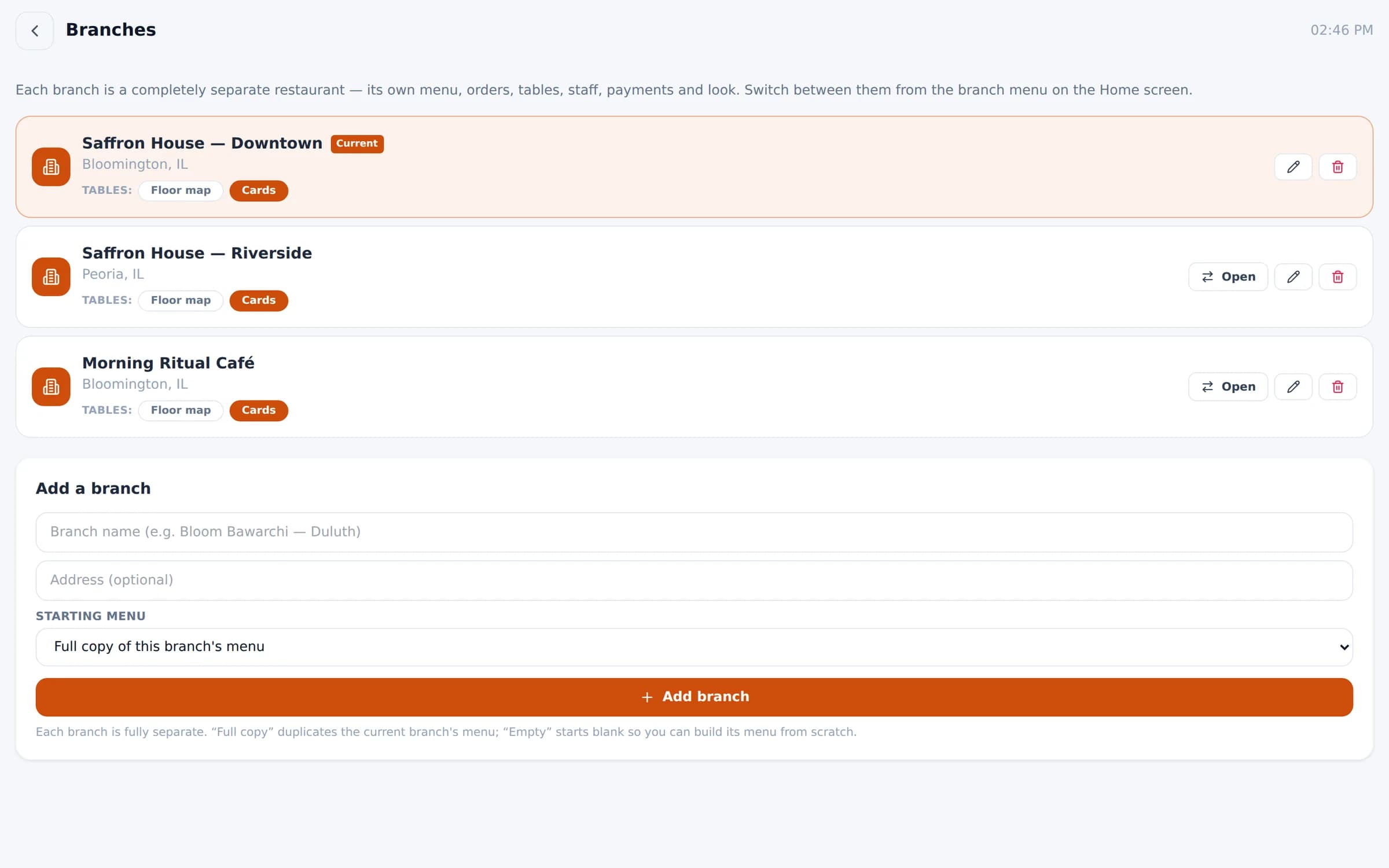
Each branch keeps its own menu, orders, tables, staff, payments and look — and you switch between them from one login.
What you get
Multi-branch, feature by feature
Fully separate branches
No accidental mix-ups between locations' menus, staff or payments.
Open a new branch fast
Start with a full copy of an existing menu, a starter menu, or empty.
Switch in one tap
Managers move between branches from the home screen.
Report across the group
See one branch or all of them in the sales dashboard.
Roles & PINs
Admin, manager and kitchen roles, plus staff sign-in on personal phones.
Audit log
Every sign-in and change recorded: who, what and when.
In the product
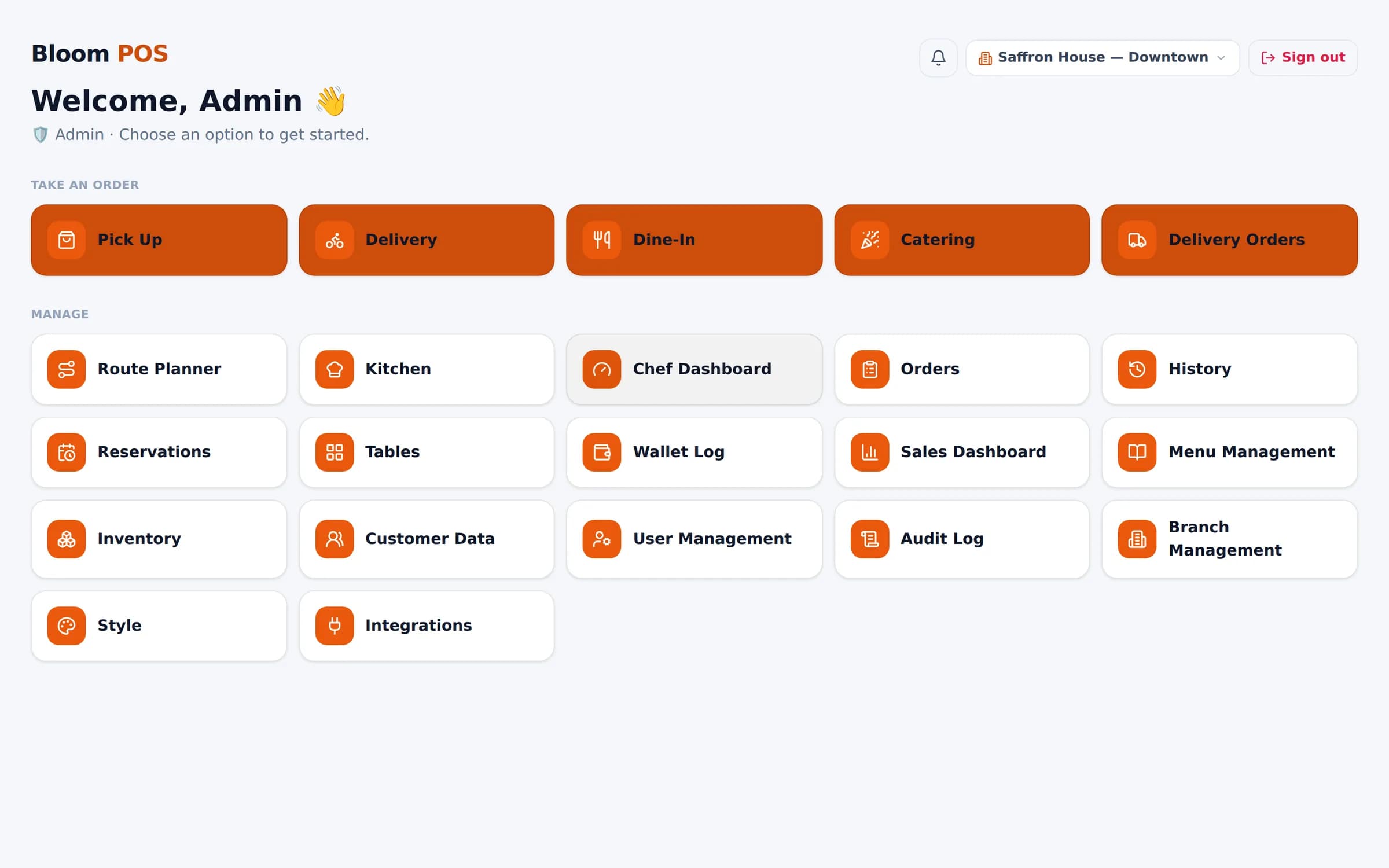
The home screen: order types up top, management tools below.
See Bloom configured for your business
A 30-minute walkthrough with your menu, your floor and your workflow. No obligation.
We reply within one business day.
- 01Pick a time that suits you
- 02Tell us how you run service
- 03See Bloom set up your way